
OPERATIONAL INTELLIGENCE PLATFORM
The intelligence between work and proof.
QANRI connects people, field execution, company knowledge and evidence in one operational system.
- Work stays connected to its owner
- Evidence remains tied to the record
- Company knowledge becomes usable in the field
QANRI · LIVE MODEL
A manager asks
Work becomes operational knowledge.LIVE MODEL
ExecuteThe worker records progress where the work happens.
SubmitNotes and supporting evidence return with the work.
ReviewThe supervisor accepts the submission or requests correction.
PreserveEarlier submissions and decisions remain visible.
A manager asks4
ASK QANRIWhat is at risk right now, and who owns the next action?
QANRI reads assignments, blockers, evidence and review status to build an operational answer.
See the operation as it actually happened.
Direct the right person and next action.
Verify the work through history and evidence.
FROM EXECUTION TO INTELLIGENCE
Start with the work. Build the truth. Direct the operation.
Assignments, progress, blockers and evidence enter the system where work happens.
Responsibility, time, review and change history stay connected.
The company understands what happened and directs what comes next.
FROM FIELD REALITY TO OPERATING PICTURE
See the work. Preserve the proof. Know what happens next.
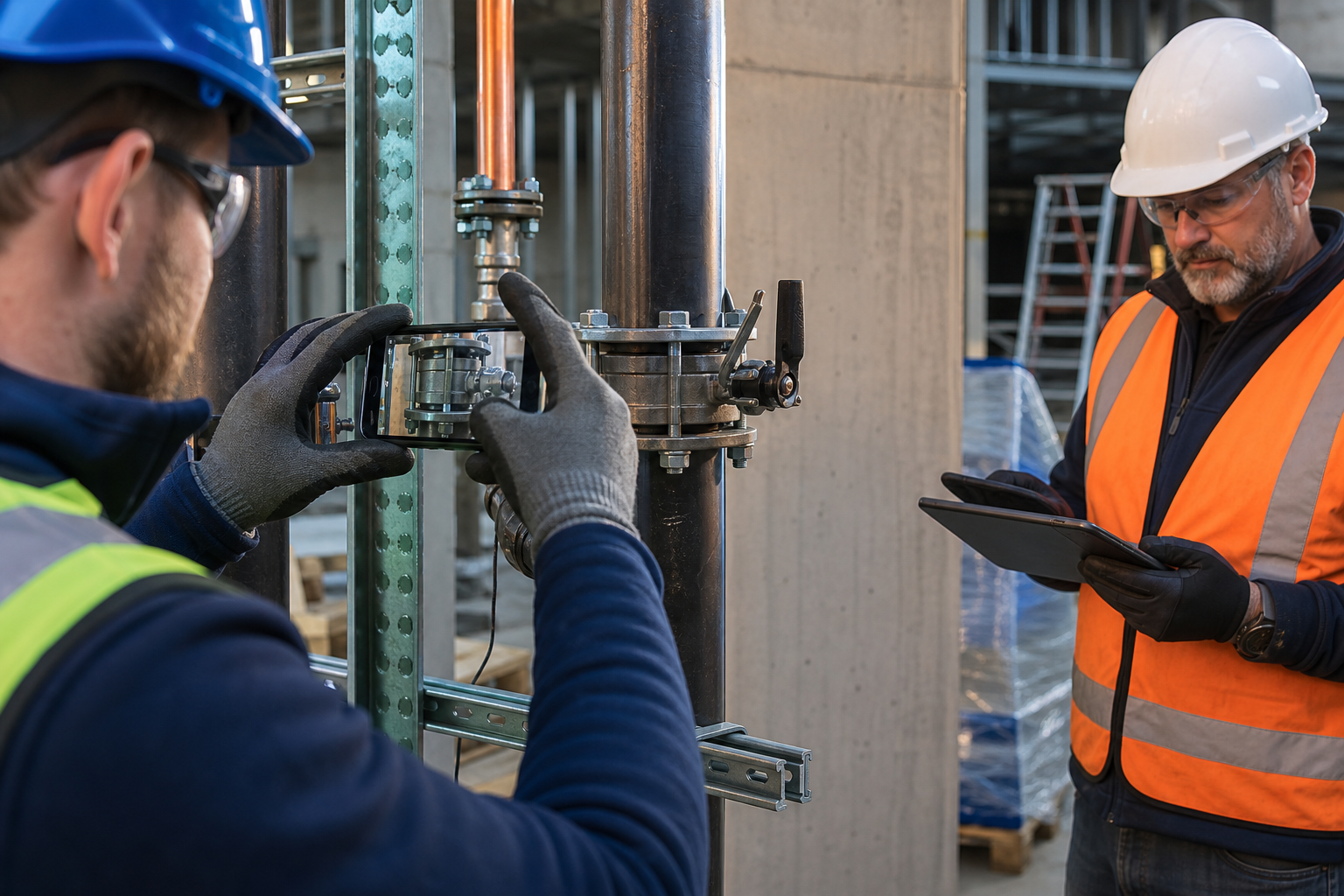
QANRI connects what the crew records in the field with the view management needs to act.
QANRI / OPERATING PICTURELIVE MODEL
0102030405
The record begins where the work happensLIVE MODEL
PROOF100%
FIELD WORK72%
ACTION48%
ONE OPERATION, END TO END
Work becomes operational knowledge.
Every assignment, question, blocker, submission and decision adds context to the same trusted record.
- 01
Assign
Define the work, owner and required evidence.
- 02
Execute
The worker records progress where the work happens.
- 03
Submit
Notes and supporting evidence return with the work.
- 04
Review
The supervisor accepts the submission or requests correction.
- 05
Preserve
Earlier submissions and decisions remain visible.
- 06
Act
Operations sees blockers, reviews and the next owner.
THE QUESTIONS OPERATIONS MUST ANSWER
Not another dashboard. A shared operating picture.
QANRI connects what was assigned, what happened in the field, what was submitted and what was approved, so the answer does not depend on memory or a message thread.
- 01What is moving, blocked or waiting for review?
- 02Who owns the next action?
- 03What changed after the first submission?
- 04Which decision is supported by evidence?
- 05What still needs verification?
IF THIS FEELS FAMILIAR, CHANGE THE WAY IT RUNS
Recognize the problem. See the better way to run it.
QANRI turns the moments that slow field operations down into a clearer, more accountable way of working.
Does a new employee spend hours searching through training videos and manuals?
WITH QANRI
WHAT CHANGESShorter learning time and practical guidance without leaving the job.Ask QANRI answers the question from approved company documents, videos and project knowledge in the context of the current task.
Is the technician unsure whether the work meets the required condition?
WITH QANRI
WHAT CHANGESEarlier correction, less rework and stronger first-time quality.The employee submits photos, video and notes; QANRI AI can review the evidence and flag what appears incomplete against the defined requirements.
Are you chasing twenty people just to understand what happened today?
WITH QANRI
WHAT CHANGESManage the team by exception instead of by constant follow-up.QANRI keeps assignments, progress, blockers and evidence in one live operating picture and can notify the manager when attention is needed.
Do assignments and routine follow-up consume the manager’s entire day?
WITH QANRI
WHAT CHANGESOne manager can coordinate a larger operation with far less administrative friction.Within granted permissions, QANRI AI can support assignment, reminders and next-action coordination while the manager remains in control.
Do progress reports become outdated before they reach the meeting?
WITH QANRI
WHAT CHANGESAsk what is happening now and receive an answer grounded in the current record.QANRI turns the latest work records, media, reviews and blockers into an immediate operational summary.
Are work hours, payroll preparation and labor costs rebuilt from paperwork?
WITH QANRI
WHAT CHANGESLess manual administration and earlier cost visibility.Working time and task activity stay connected to the operational record so payroll-ready information and labor cost can be reviewed as work progresses.
Do you learn whether a project made money only after it is over?
WITH QANRI
WHAT CHANGESSee profitability while there is still time to protect it, and know the result when the project closes.Track labor, extra work, delays, losses and project cost as the operation develops.
Is a project waiting on the customer, but nobody closes the communication loop?
WITH QANRI
WHAT CHANGESFaster responses, documented communication and fewer silent delays.QANRI can send the relevant notice, explain what is waiting and capture the customer’s response back into the project record.
Does the customer need to call the team just to learn the current status?
WITH QANRI
WHAT CHANGESA more transparent customer experience without exposing internal information.Share permissioned progress, milestones and required actions through timely notifications instead of assembling a report from scratch.
Is portfolio performance filtered through presentations, opinions and late reports?
WITH QANRI
WHAT CHANGESSee where value is being created, where it is leaking and where leadership must act.Bring progress, risk, cost, evidence and profitability signals into a traceable view across projects.
You do not need more activity. You need every activity to lead to a clear next decision.
THE PRODUCT IN MOTION
Follow one workday from assignment to proof.
One connected operating chain, not a wall of features.
TODAY
Put real work in motion.
Ownership is explicit, and reassignment never erases history.
9:41● ● ▰
QTODAY•••
Good morning, Alex MorganHere is what needs attention.
LEVEL 1 · ASSIGNEDRail connection check
ASSIGNEDFIELD RECORDRail connection check
Ownership is explicit, and reassignment never erases history.
EVIDENCE WITH CONTEXT
A photograph is not proof until the record explains it.
Field evidence stays connected to the task, person, time, location, review and every correction that followed.

Connection inspection
“Torque checked. Final installation photo attached.”
CORRECTION REQUESTED
A clearer final view is requested. The first submission stays in the record.
Updated evidence received
A new note and new photograph are ready for review.
BEFORE / WITH QANRI
Replace fragmented updates with an operational record.
Messages, calls and personal memory
One traceable work history
Photos separated from the task
Evidence tied to owner and context
Status reported after the fact
Current progress and blockers
Knowledge trapped with individuals
Authorized knowledge available at work
Poor connectivity postpones field reporting.
Core field actions persist locally and synchronize later.
WHAT QANRI MEANS
The name defines the operating standard.
QANRI is formed from five operating principles. They are not decorative values; together they describe how work becomes knowledge, action and proof.
Quality
Make the standard of work visible and measurable.
Accountability
Keep responsibility, time and evidence connected.
Navigation
Turn the operating record into the right next action.
Reliability
Preserve field reality with its history intact.
Intelligence
Transform operational activity into knowledge the company can use.
OFFLINEWork continues when the signal does not.
QANRI is designed for real field conditions. Teams can continue capturing the work and synchronize it when connectivity returns.
LOCAL QUEUE
BUILT FOR THE FIELD
Work continues when the signal does not.
QANRI is designed for real field conditions. Teams can continue capturing the work and synchronize it when connectivity returns.
- Keep the assignment and required steps available
- Capture notes and evidence in the moment
- Synchronize without losing ownership or sequence
The QANRI field app is available on Android today. iOS is in preparation.
ONE SYSTEM, CLEAR RESPONSIBILITIES
Each person sees the operation at the level they need.
The experience changes with responsibility, while everyone contributes to the same operating truth.
Field worker
- See today’s assigned work
- Follow approved guidance
- Record progress, notes and evidence
- Continue through weak connectivity
Supervisor
- Assign work to the crew
- Review returned evidence
- Request correction without deleting history
- Route blockers to the next owner
Operations leader
- See work across projects
- Find blockers and pending reviews
- Know who owns the next action
- Preserve the record for handover
A COMPANY-SPECIFIC OPERATIONAL BRAIN
Every person can ask. The operation can answer.
Ask QANRI places an AI assistant beside the people doing the work and the people directing it. Answers begin with authorized company knowledge and live operational context.
COMPANY KNOWLEDGELIVE CONTEXTTRACEABLE ANSWERS
 ASK QANRIEnglish
A technician in the field asks
“How should this assembly be completed?”
QANRI brings the relevant procedure, project context and recorded work into one guided answer.A team member asks
“What should I check before escalating this fault?”
QANRI uses approved company knowledge to guide the investigation and keeps the issue connected to the work.A manager asks
“What is at risk right now, and who owns the next action?”
QANRI reads assignments, blockers, evidence and review status to build an operational answer.YOUR DATA STAYS YOURS
One company. One dedicated system.
Every QANRI deployment is single tenant. Operational records, photos and video evidence live in private storage, are never served publicly, and are reachable only through short lived signed links.
QANRI's AI runs on private infrastructure dedicated to the deployment. By default, company data is not sent to public AI services. If AI is switched off, the platform keeps working; intelligence is a layer, not a dependency.
See how QANRI protects operational data ↗THE TRUSTED OPERATIONAL RECORD
Operational intelligence begins with operational truth.
Every important answer can be traced back to the work itself.
Responsibility
Who performed the work and who owns the next action.
Time and context
When it happened and which project it belonged to.
Evidence
Photos, notes and files remain tied to the submission.
Review history
Every decision, correction and version stays visible.
Access boundaries
Company, project and role authority remain attached.
Intelligence
Recorded fact stays distinct from AI interpretation.
PRODUCT LANGUAGE STATUS
Global by design. Honest about availability.
This website is available in seven languages. Product interface availability is shown separately so the promise always matches the experience.
English and Turkish are currently available in the QANRI application. Additional product languages are being prepared and are not presented as fully available.
CONTROLLED PILOT
Start with one real operation. Prove the model before scaling.
A focused rollout lets the team configure the workflow, test it in the field and measure where QANRI changes the operation.
- 01Choose a real workflow
Show where assignments, updates, evidence and decisions live today.
- 02Configure roles and evidence
Select a practical project, crew or repeatable work package.
- 03Run with a working team
Choose observable measures such as missing evidence or review delay.
- 04Review outcomes and scale
Decide from the operating record whether QANRI is a fit.
QANRIKNOW. MOVE. PROVE.
Bring us one real operation.
Show us how work moves today. See how QANRI turns it into an operational record your company can understand and act on.
Book a walkthrough